Get Family List for this project

This will output a list of families as Revit elements from the current Revit document. From here you can perform various operations such as determining the Types that proceed from these families and so on. The example below simply exports the current project family name list to the clipboard so it can be pasted into another program such as Word.

TitleBlockFromSheet


titleblockfromsheet_main

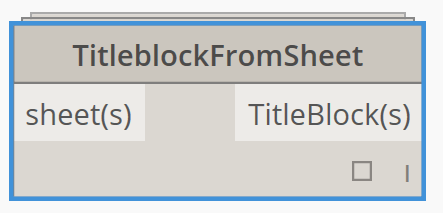
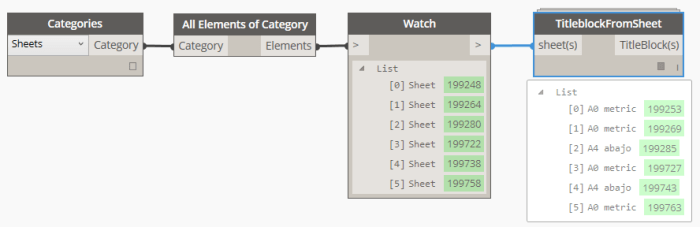
This node will return the TitleBlock instance applied to the input Sheet.

Works with list of sheets.

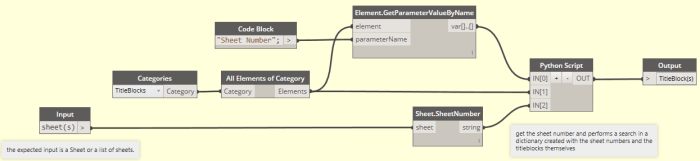
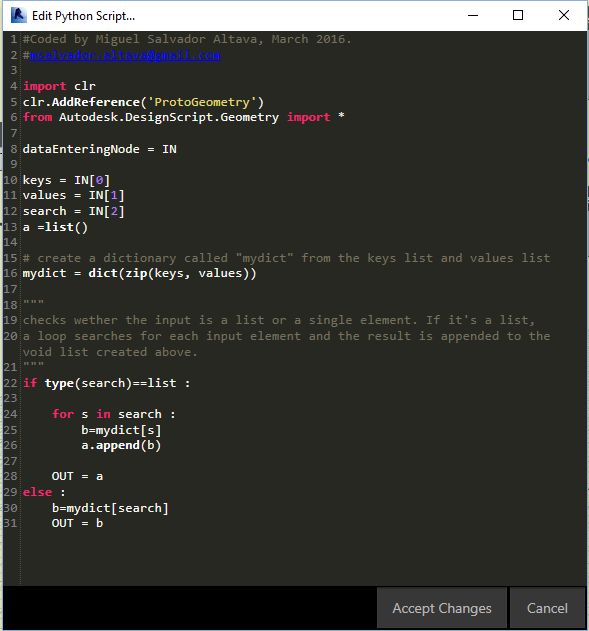
Uses a little python, basically building up a dictionary with the sheet number parameter of the titleblock elements (as the Keys) and the titleblocks themselves as the Values.

Then performs a search in the dictionary using the Sheet number of the Sheet elements.

In pursuit of avoiding dependencies, a basic implementation of the dictionary is used. For more reliable results, the python node can be replaced with SpringNode’s “Dictionary”.

titleblockfromsheet_twit

titleblockfromsheet_inside

titleblockfromsheet_py

Resource: Thesis by Thomas Vogt – Current application of graphical programming in the design phase of a BIM project

Subtitle: Development opportunities and future scenarios with ‘Dynamo’

This 155 page document is very detailed and covers a number of interesting topics, including:

  • Fundamentals of graphic programming, such as History of graphical programming
  • Graphical programming with Dynamo, including technological challenges and Future of Dynamo
  • Survey results

Full credit to Thomas Michael Vogt for his work on this Thesis.

Can be downloaded at:
PDF download

Source:
LinkedIn

vogt-thesis

Duplicate Views

In some cases it is difficult to multi-select and Duplicate multiple Views in the Project Browser. This node takes a list of Views and attempts to Duplicate them. It also takes a duplicationOption as input, which is by default set to Duplicate. This first version does not return the newly created views as elements (ie. the views usually appended with “Copy 1”), but it should do so in future version.

Copy Section Box to List of 3D Views

Sometimes you will want to maintain a number of different 3D views with the same Section Box extents, but perhaps with different View Templates applied. This node was designed to copy the Section Box extent from one 3D view, and apply it to a list of 3D views. It also notifies if the Section Box was applied successfully. In the example below, I simply modified the shape handles of one 3D view Section Box, and then used the definition as shown below to copy the Section Box from the Active View to the other related 3D views. The node deliberately removes the ‘source’ 3D view from the 3D views to be modified.