
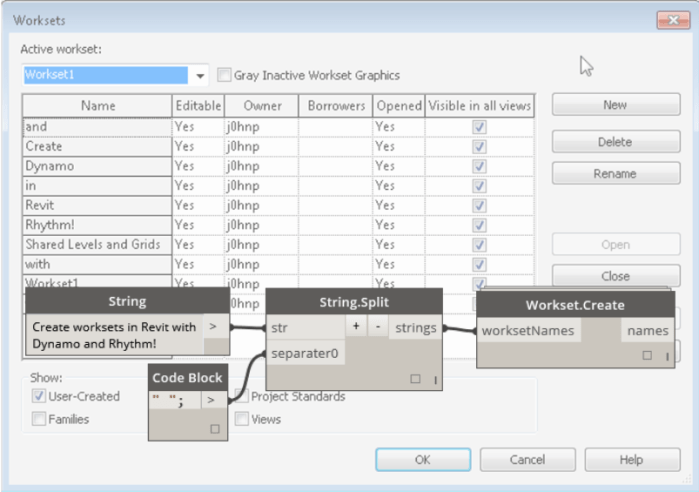
Create worksets in Revit via a list of names. (strings)
Source: http://sixtysecondrevit.blogspot.com/2015/06/revit-create-worksets-with-dynamo.html
Create worksets in Revit via a list of names. (strings)
Source: http://sixtysecondrevit.blogspot.com/2015/06/revit-create-worksets-with-dynamo.html
This checks if a given Point is contained inside a Revit Room element. Combined with various collection tools, it can effectively build a list of items that are inside a Room across links in a federated model.
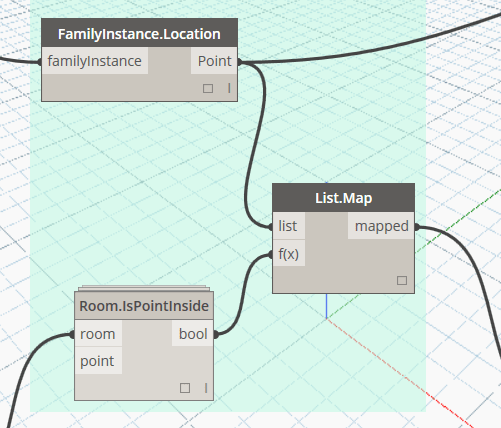
DYN sample: Elements in Room – Multilink and Multicategory (DynamoWorks)
This node will generate 3D Room Tags for all rooms using a family provided in the package directory.
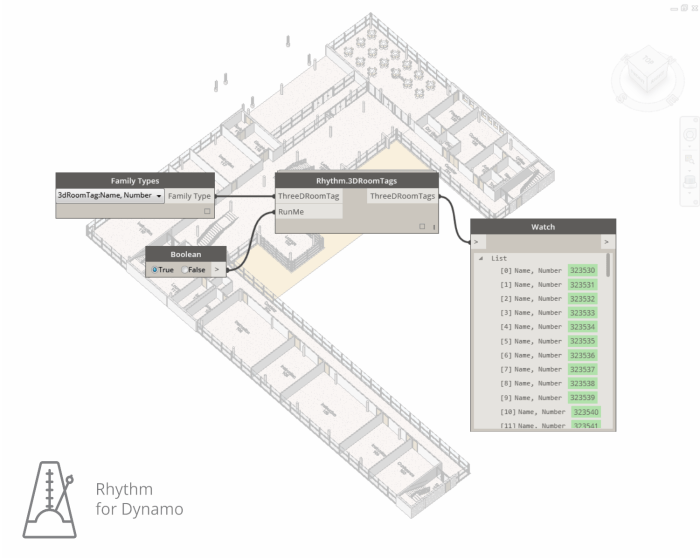
Source(s): http://sixtysecondrevit.blogspot.com/2016/01/rhythm-update-to-3d-room-tag-node.html and http://sixtysecondrevit.blogspot.com/2015/11/3d-room-tags-with-dynamobim.html
This node uses Python to access the File Reference details for the currently opened Revit file using the API. It also relies upon another node that uses a Python import to get the System file Date Modified information using the Path gained from the Revit API.

Source: https://twitter.com/lukeyjohnson/status/661019299608264705

Rhythm is a collection of custom nodes for the Dynamo visual programming environment. The idea is this package helps users maintain Rhythm in Revit with Dynamo. It primarily consists of out of the box Dynamo nodes used in clever ways as they apply to the Revit environment.
There will be a series of posts providing examples of what the 80+ custom nodes in Rhythm can do for you.
Interested in the inner workings of Rhythm? Feel free to check it out on GitHub!
-johnp
This will query the elements in the model, get their Type, then compare the GUID of a given Shared Parameter against a known GUID.

via https://twitter.com/lukeyjohnson/status/629178849834594304
Takes Revit room Elements and creates Revit floor Elements. Various versions are available, currently at v4.
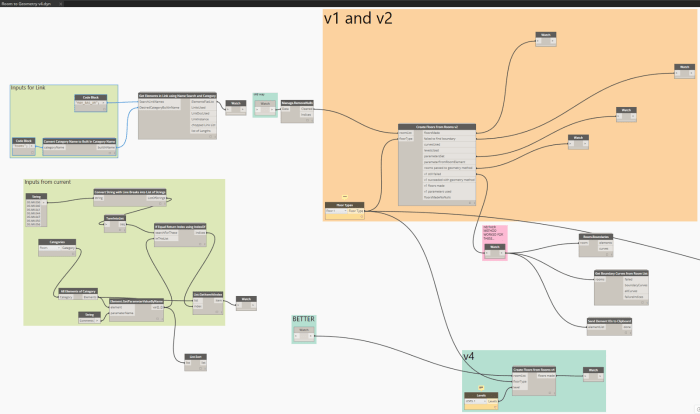
Source: http://whatrevitwants.blogspot.com.au/2015/10/create-floors-from-rooms-across.html
 Dynamo Nodes