
This will return a 1D list of Workset names for the Worksets that have been opened in the current Revit document.
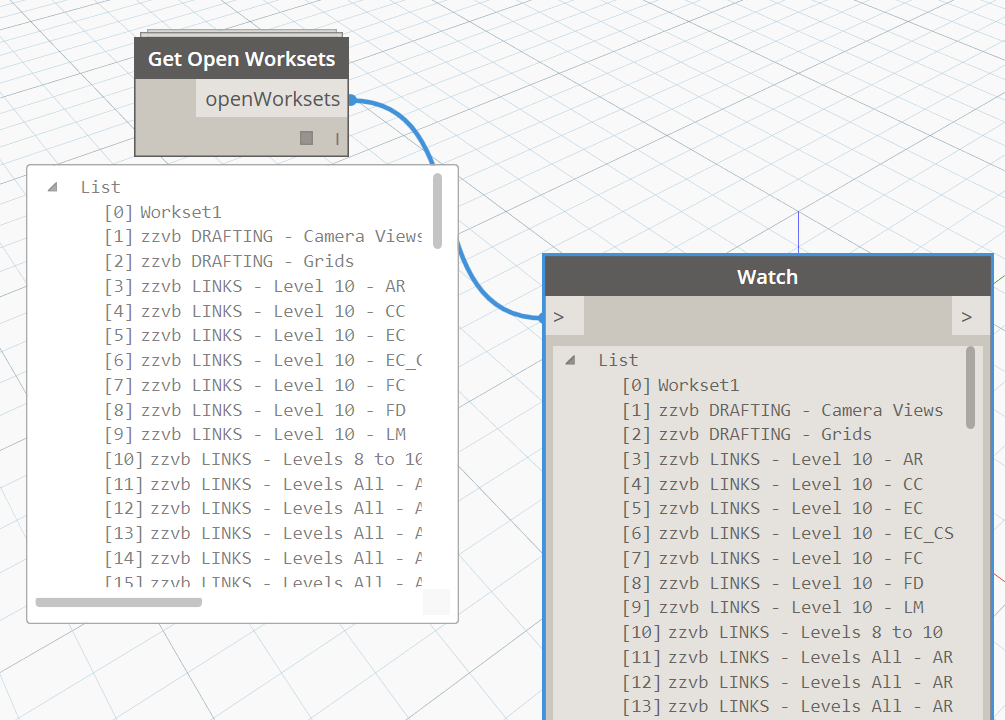
This will return a 1D list of Workset names for the Worksets that have been opened in the current Revit document.
This node uses a Pythonic method to iterate through one list and look for occurrences of each string ‘fragment’ inside the strings in another list. It then returns a matched output of original search string fragments, and the longer string they were found in.

This node is a wrapper for the Standard Read from Excel node. It outputs a single column of Excel data based on the Column Heading, and optionally the column heading can be removed with ‘RemoveColumnHeading’ set to True.

If you are looking to impott points to Revit from Trimble(and vice versa) then you can use these nodes to assist. This takes a file path(CSV recommended), sheet name, family type, and separator in order to output a certain family at the specified location that can help you visualize what is going on in the field.
I have a point family available here:
https://www.dropbox.com/s/c27c8p2lxemstwo/PointFamily.rfa?dl=0
Repository here:
https://github.com/natethegrate1/MEPTools/blob/master/TrimbleImport.dyf
and some YouTube instructions here:
Import=https://youtu.be/TKiY6O1a7EU
Please feel free to email me if you have any issues!
If you are looking to export points to Trimble from Revit (and vice versa) then you can use these nodes to assist. This takes a file path(CSV recommended), sheet name, and model element selection in order to output a CSV that can be pulled into the Trimble (or other) Total Station units.
I have a point family available here:
https://www.dropbox.com/s/c27c8p2lxemstwo/PointFamily.rfa?dl=0
Repository here:
https://github.com/natethegrate1/MEPTools/blob/master/TrimbleExport.dyf
and some YouTube instructions here:
Export=https://youtu.be/j-qLP0ux7sw
Please feel free to email me if you have any issues!
It is often useful to have each Revit Link on its own workset. Let’s say you have just set up a new model, and linked in 10 other Revit models. We need to create some worksets, and then set the links to those worksets. This can be done automatically, in two simple steps in Dynamo:
After running these two nodes, all the Link Instances and Types should be set correctly.
Save your work before using it on your own project… 🙂
Using a list of Revit Link instances in the current document, this node will search for a Workset name that includes the Filename of the Revit Link (string search). With the proper Workset now known, it will set both the Link Instance and Link Type Workset.
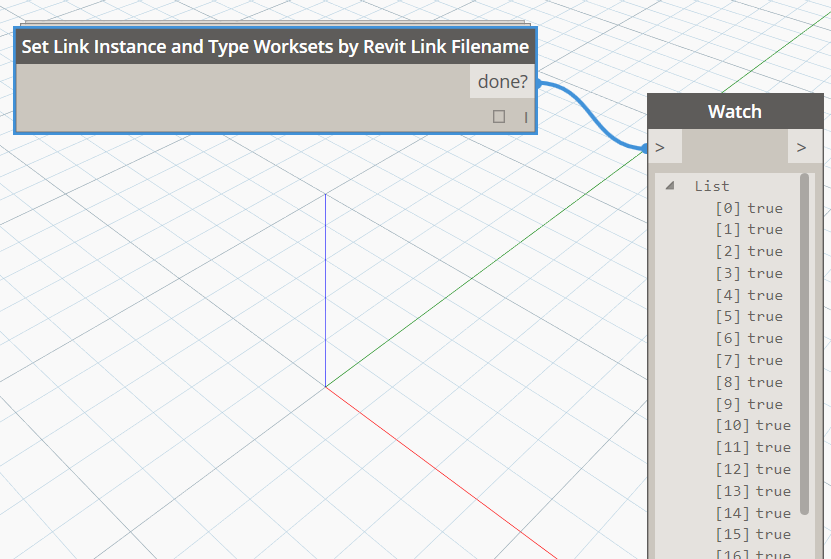
Using only the List of Revit Links in the current document, this node will get their filenames and create worksets with those names. The prefix is optional.

The If node takes a logical test and then returns a true or false result based on this test. It has three inputs:
test
true – what should the output be if test is true?
false – what should the output be if test is false?
Simple examples:

More advanced example:

via https://twitter.com/ColinMcCrone/status/697217235304075265
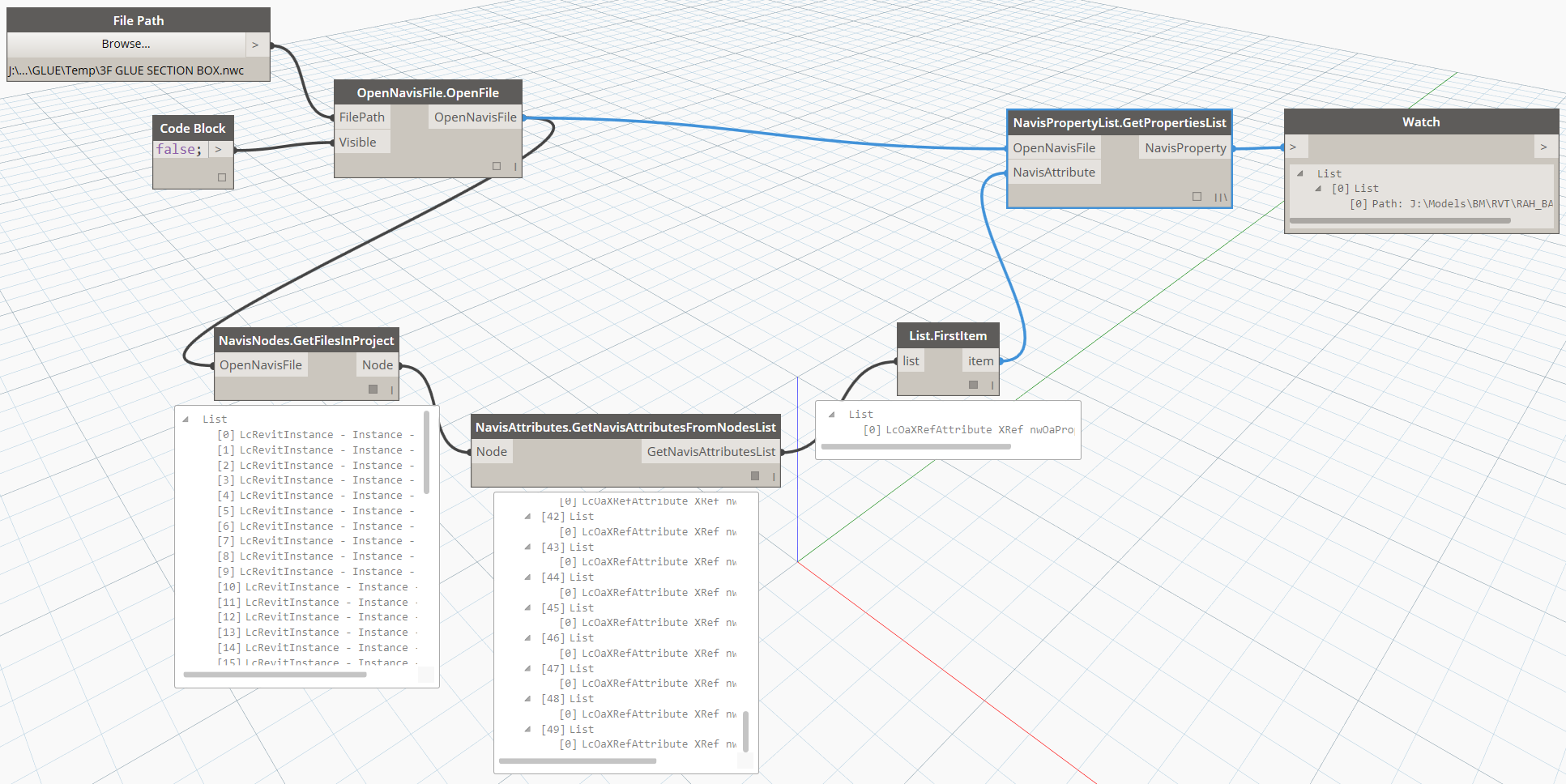
Using an OpenNavisFile object, and a given NavisAttribute, this node will return the Properties of that Attribute. Note how the List.FirstItem is used to prune the attribute list below.
 Dynamo Nodes