
We have added Ratings to DynamoWorks! At the top of each Node page, you will see a 5 star rating selector. Go ahead and Rate each node, and may the best Nodes win 🙂
We have added Ratings to DynamoWorks! At the top of each Node page, you will see a 5 star rating selector. Go ahead and Rate each node, and may the best Nodes win 🙂
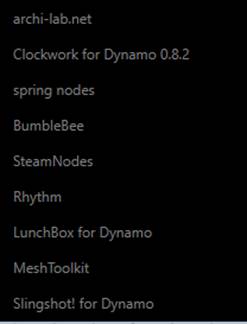
Bakery is a real mixture. Some completely custom work, like an XML reader with ElementTree, and lots of derivative work that relies heavily on other packages like Clockwork, Lunchbox and archi-lab. Basically, if I build something and find it useful, I pretty much add it to Bakery. Sometime in the future I hope to do a big cleanup and get everything looking nice and clean, but at the moment it is definitely a work in progress…
but give it a try and you just might find something tasty in the Bakery!
What is in the Bakery? Check out the Bakery Node Index.
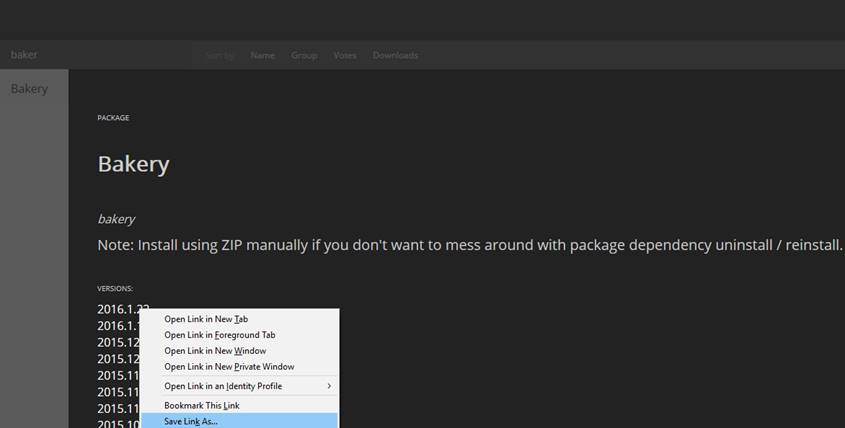
If you don’t want to deal with other packages wanting to uninstall and reinstall when installing Bakery, just download it from the Package Manager website as a ZIP, then unzip to this directory:
%APPDATA%\Dynamo\0.8\packages\Bakery
Related: http://whatrevitwants.blogspot.com.au/2015/05/bakery-for-dynamo.html
On GitHub at: BakeryForDynamo
Recent list of nodes: http://whatrevitwants.blogspot.com.au/2015/10/big-update-to-bakery-package-for.html
Current dependencies:
This node will take an element list, and a list of ‘sector bounding floor elements’. The floor elements need to have the Comments parameter populated with a Sector identifier. This node uses the OOTB Geometry node Geometry.DoesIntersect to check if the element location point intersects with one of the floor elements, and then outputs a list of where each element was found.

This node will take an element, get its location, place a Camera view at that location and use two given Parameters from the element in the resulting View Name. It will also use the Element Id in the View Name.

This workflow was designed to work this way:
· Paste a list of Element Ids into the blue area, these can be copied directly from Excel rows
· Set the input Link filename, and the source Room filename
· Click Run and it will use Room.IsPointInside to check which Linked Room that Linked element resides in
· It will output list to Clipboard as a string that can be directly pasted to Excel
These list-to-string-to-clipboard (and vice versa) nodes allow for easy editing and re-running of a node, without having to handle CSV or Excel input / output. This is useful for quick investigations.

DYN: Download
Code Blocks are a hugely powerful core node that allow you to do many things by directly entering functions and code in the Code Block.
Code Block – String operations

Code Block – List methods
In the example below, various Flatten methods are shown in the Code Block. This would be an alternative to using the List.Flatten or Flatten nodes.

Source: https://twitter.com/Jos_ols/status/661822388112384000
More on Code Blocks at http://dynamobim.com/cbns-for-dummies/ such as:

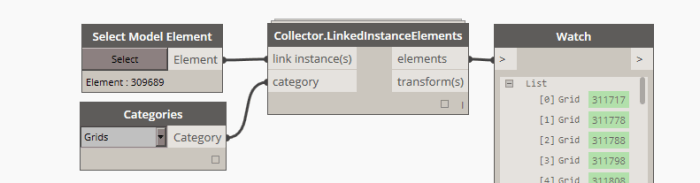
This node will get elements from a Link Instance given the instance object and a Category. It also reports a ‘coordinate transform’ for the Link Instance itself.

You also have the option to simply pick the linked instance with the “Select Model Element” node:
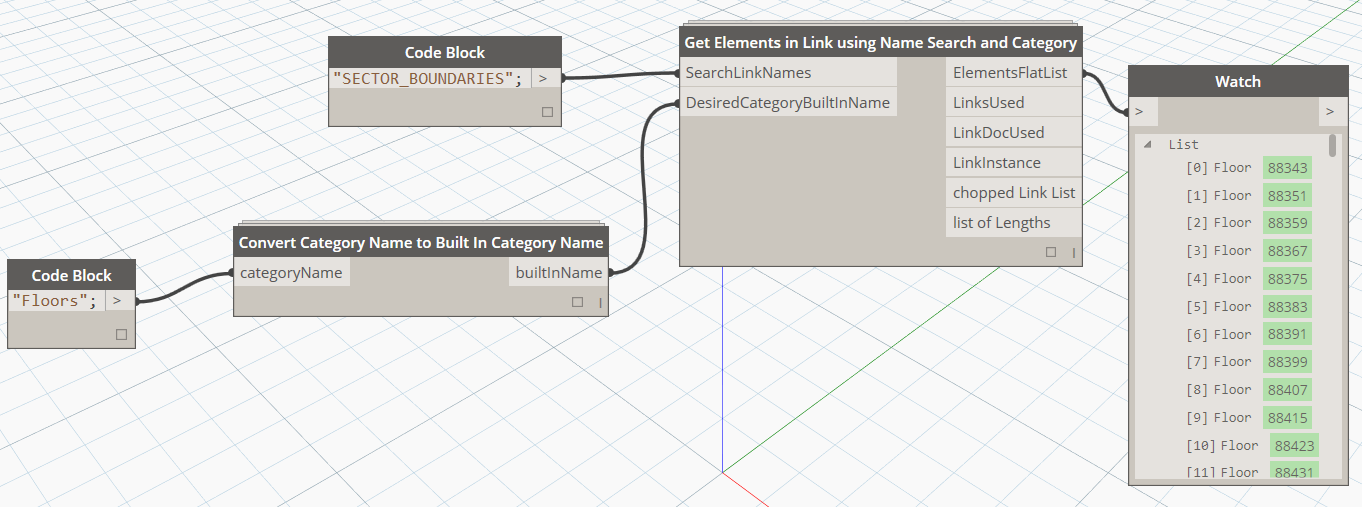
This node will collect objects by doing a wildcard ‘contains’ search on part of the Link Filename, and then using the Built-in Category Name to collect the desired objects. It can be used with the ‘convert…’ node below to allow human readable category name input as string.
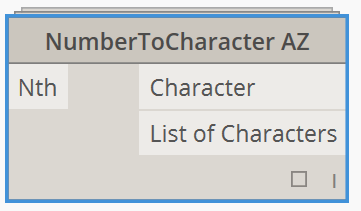
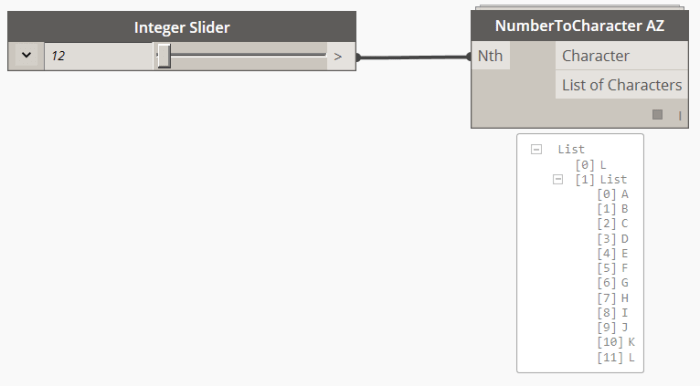
This node takes an integer as input.
Returns the “alphabetical equivalent character”, and a list from A to the alphabetical equivalent character.
It only works from 1 to 26 (A to Z). [See NumberToCharacter AAZZ for higher inputs]
After this, returns a “Out of range” message.
The node uses DesignScript to work:
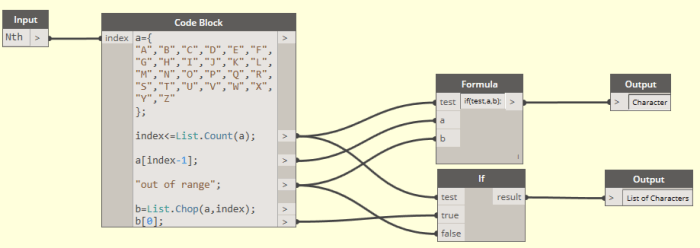
There is a local variable, “a”, which is an alphabetical list.
The input, named index in the code block, is evaluated to see if it’s less or equal than “a” count:
index<=List.Count(a). This is passed into a formula node as the “Test input”.
If it’s true, then, it retrieves the index, less one, in the alphabet’s list. We subtract one unit because we want to make our input “one based”, instead of “zero based”. 1 will equal to A.
If it’s false, the string “Out of range” is passed to the output node.
For the second output, a new list called “b” is defined. Starting with “a” list, it is “choped” in two lists, been the input the chopping point.
The last step is getting the first list, so a” b[0]” is used and passed to the second output. This second output is also connected to te “Out of Range” string if the condition is not true.
ImportFile takes the name of a file as input, and outputs a Mesh object. The file can be of the following types:
.obj – Wavefront OBJ file
.mix – Meshmixer file

Source: https://github.com/DynamoDS/Dynamo/wiki/Dynamo-Mesh-Toolkit
 Dynamo Nodes