
This node will take an input of model curves (Model Lines / Detail Lines) and output a series of extent information: The centre points and corner points of the extent frame, the centroid and the external rectangular extent frame.
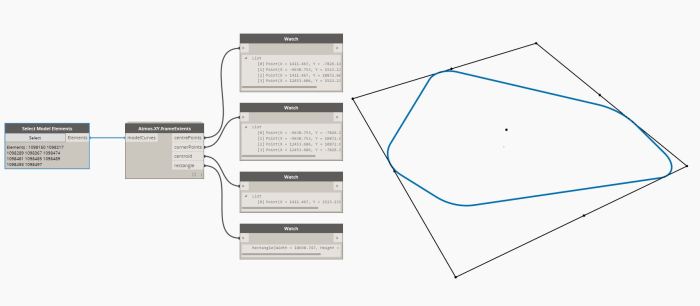
This node will take an input of model curves (Model Lines / Detail Lines) and output a series of extent information: The centre points and corner points of the extent frame, the centroid and the external rectangular extent frame.
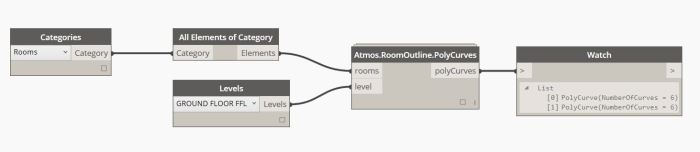
This node will take inputs for Rooms and a chosen Level, and output the aforementioned Room outlines as Polycurves.
This node will allow you to check what Floor, Wall, Roof, Ceiling and Room elements are owned by a particular level. This node will work in both 2D and 3D views.
You have the options to isolate the elements, colour the elements and reset aforementioned colouration.
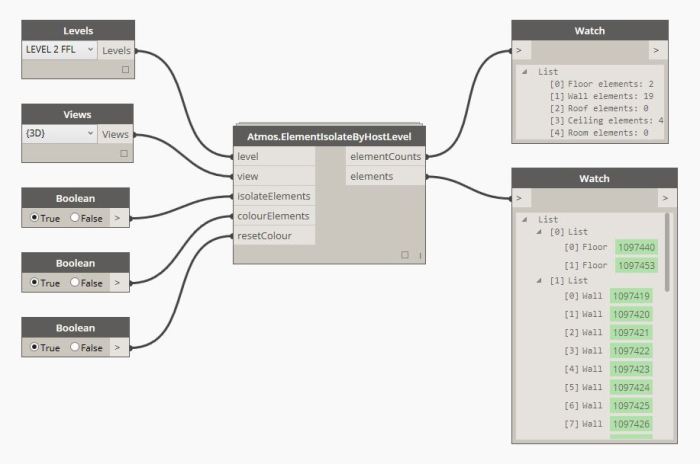
Note: If the isolation element isn’t working, it’s most likely due to conflicting Clockwork packages.
Dependent packages: Spring Nodes and Clockwork
This node will allow you to check what wall elements your doors are hosted to – By filtering out compliant wall types. The remaining wall elements that the node outputs are non-compliant door hosts.
Title casing won’t affect the variable wallKeys input.

Dependent packages: Clockwork
This will get updated as the Atmos package gets updated.
Atmos.CosineTower
Atmos.DoorHostChecker
Atmos.ElementIsolateByHostLevel
Atmos.RoomOutline.PolyCurves
Atmos.SlattedFacade
Atmos.XY.pointsDistribution
Atmos.XY.frameExtents
DS Common Kit by PRORUBIM is a package of native nodes for Dynamo without app dependencies (so it can be used in Dynamo standalone and Dynamo for Revit too).
This small library will be extended in future by useful nodes for organasing more effective and comfortable work with visual schemes.
Developed by Alexey Lobanov – PRORUBIM
DS Common Kit is a package of native nodes for Dynamo without app dependencies (so it can be used in Dynamo standalone and Dynamo for Revit too).
Developed by Alexey Lobanov – PRORUBIM
ForceChildrensEval
SetVar
GetVar
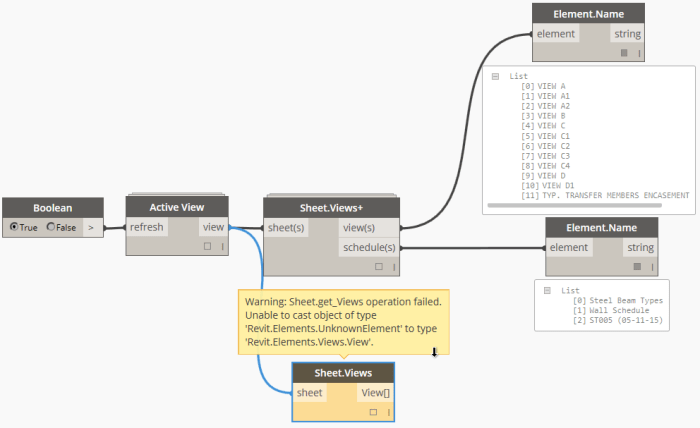
This node fetches all views and schedules placed on the input sheet(or sheets). The built-in sheet revision schedule is excluded.
Just like the “Active View” node, it’s a temporary band-aid until Dynamo supports all view types by default.
 Dynamo Nodes