
This node provides a base list of Revit Categories and allows the Dynamo user to pick a Category. It then passes a special Category object as an output.
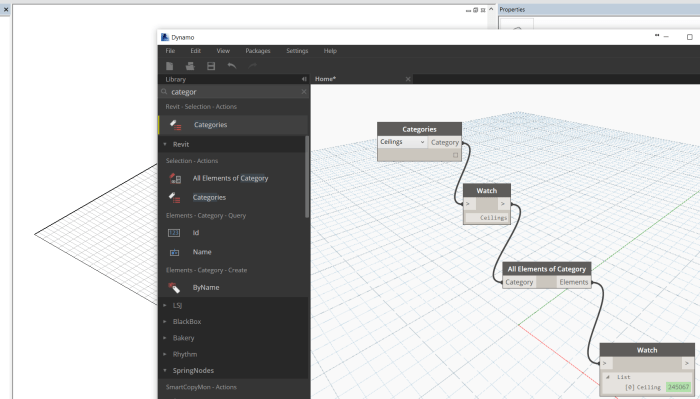
This node provides a base list of Revit Categories and allows the Dynamo user to pick a Category. It then passes a special Category object as an output.
There are a few different types of posts on Dynamo Nodes, but they should all follow the basic rules on this page.
We recommend that you choose from one of these 7 different types of posts…
1) Basic Node Post
This post will have this basic Template:
2) Detailed Node Post
This template contains more information, such as:
As you can see, a Basic Post can be edited and converted to a Detailed Post, simply by adding the extra information.
3) Workflow Post
This is a way to share completed script workflows, typically as a DYN script attached to the post. These should be added to the Category Workflows in WordPress, and the post title should begin with Workflow:
4) Package Overview Post
If you would like to share an overall aim or story related to a specific package, please do this once for each package only, Tag with PackageDescription, and title the post like this:
What is PackageName?
5) Package Index
This post type is a list of all nodes in a specific package. Initially, this should be a flat list of Node names in text format, and then links can be added as each node page is posted to Dynamo Nodes. Tag with PackageIndex. We can use various tools to update these pages from time to time.
6) Resource Post
This post type is a way to share or re-share useful Dynamo resources that appear on other sites. Categorize as Resource Links. Tag with ResourceSharing. Begin post name with Resource:
7) Video Post
This is a way to share or re-share training or demonstration videos, related to Dynamo or DynamoBIM generally. Categorize as Videos. Tag with VideoSharing. Begin post title with Video:
Creates QR codes based on a string input. Accepts single arguments as well as lists. There is also support for color and adjustment to the error correction level. (See QR.ECClevel)
Inputs:
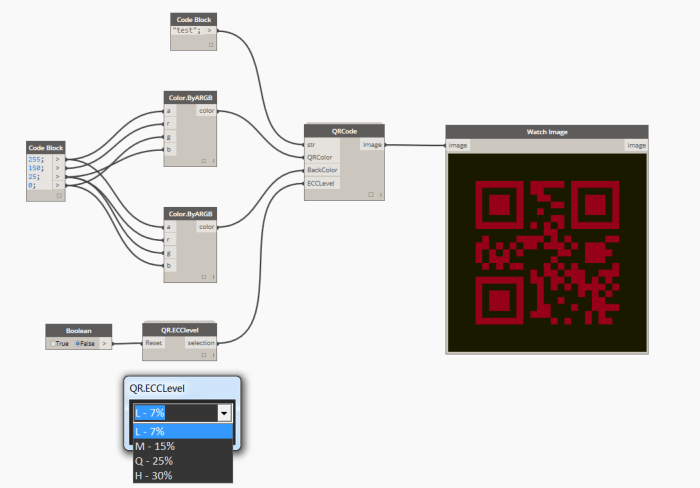
Source: http://jbdynamo.blogspot.no/2016/01/qr-codes-in-dynamo-revisited.html
Create worksets in Revit via a list of names. (strings)
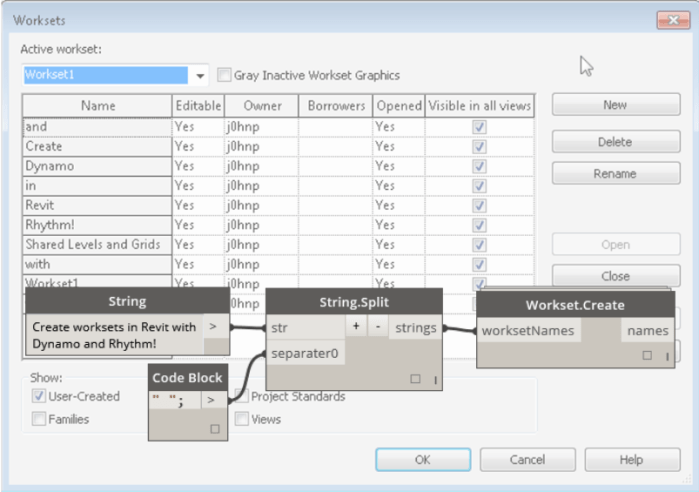
Source: http://sixtysecondrevit.blogspot.com/2015/06/revit-create-worksets-with-dynamo.html
This checks if a given Point is contained inside a Revit Room element. Combined with various collection tools, it can effectively build a list of items that are inside a Room across links in a federated model.
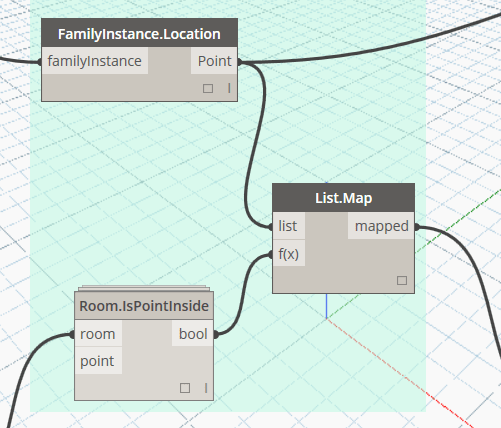
DYN sample: Elements in Room – Multilink and Multicategory (DynamoWorks)
Dynamo Hierarchy: Rhythm>Revit>Elements>Group>Group.UngroupElements
Description:
Will set the element to either pinned or not pinned. True is pinned, false is unpinned. For multiple elements use List.Map
Inputs:
groups : Element
Outputs:
element : Element

This node sends a given string to the system clipboard. Must be run from a Revit instance of Dynamo, not in sandbox mode.

Source: https://github.com/CAAD-RWTH/ClockworkForDynamo/tree/master/package_samples/0.7.x


 Dynamo Nodes