Resource: Node Book for Dynamo (download)

There are a number of efforts out there that share some of the purpose of Dynamo Nodes. For instance, the Dynamo Primer lists details of certain core nodes, as does Enjoy Revit for list actions.

Obviously, Dynamo Nodes aims to be a unified portal for Nodes, which includes Custom and Core Nodes, along with the opportunity to Search, Tag, Rate, and Comment on specific nodes and their use.

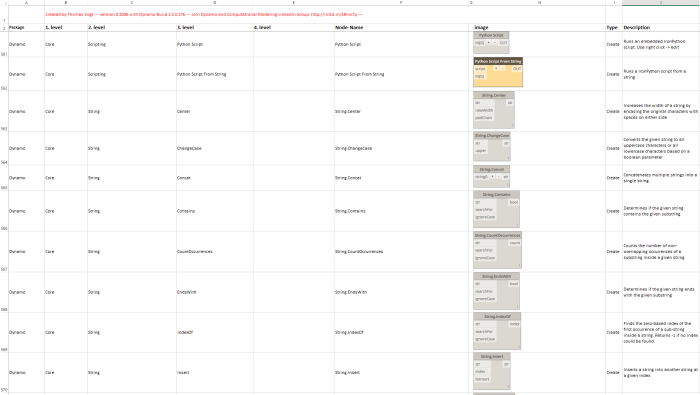
A similar indexing or glossary effort was undertaken by Thomas Vogt, and his work has been collected in a Node Book for Dynamo. You can download the Node Book for Dynamo v2 at:
https://www.dropbox.com/s/ws30t8uhtlx8jqq/Node-Book_for_Dynamo_v2.xlsx?dl=0

I would sincerely encourage anyone who wants to work on a glossary or index like this to contact me and I will invite you as a Contributor here on Dynamo Nodes. If we work together we will be able to make and maintain the best resource for Dynamo Nodes on the web.

Quote from Thomas Vogt:
This is a new version of the node book, but I have no time to completely finish it. Maybe some of you can use it anyway for something… https://www.dropbox.com/s/vlbo5axawtllgpk/Node-Book_for_Dynamo_v2.xlsx?dl=0

Source:
https://www.linkedin.com/groups/6510470/6510470-6114521488193261570
nodebook

Element.SetName

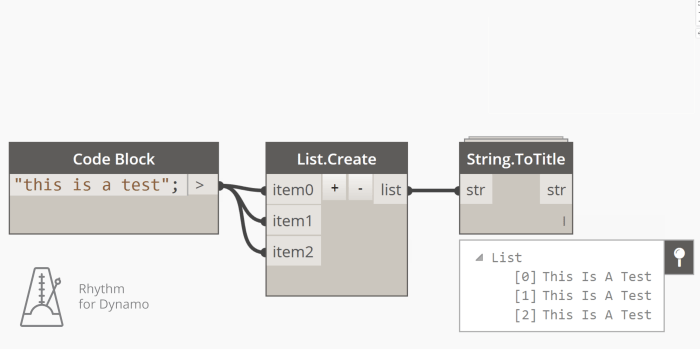
This node simply takes a list of Revit elements and attempts to set a new name to each of them. Given a list of elements and a list of names, it will set the corresponding name to the elements.

Workflow Repost: Line Of Sight Analysis with Revit and Dynamo

Excellent post by Dieter Vermeulen describing how to use Revit and Dynamo to analyze and report on ‘line of sight’ using a Revit family and some nice vector nodes. You can download the resources from this link.

Quote:
When a structural engineer, like me, hears or reads the word “analysis” then you will get full attention. That happened when I was discussing some architectural topics with my colleague…

Source: Line Of Sight Analysis with Revit and Dynamo

Atmos.SlattedFacade

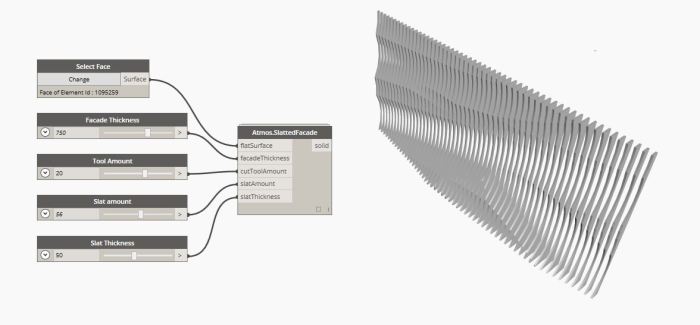
This node will take a flat Surface, and create a ‘Slatted Facade’ from said surface.

You can customise the Facade Thickness, Tool Amount, Slat Amount and Slat Thickness.

Note: This node includes randomisation variables, so every time you change some of the input values the entire geometry will change. It will also currently only work on vertical flat surfaces.

SlattedFacade

Create Navisworks Search Set XML for Element Ids

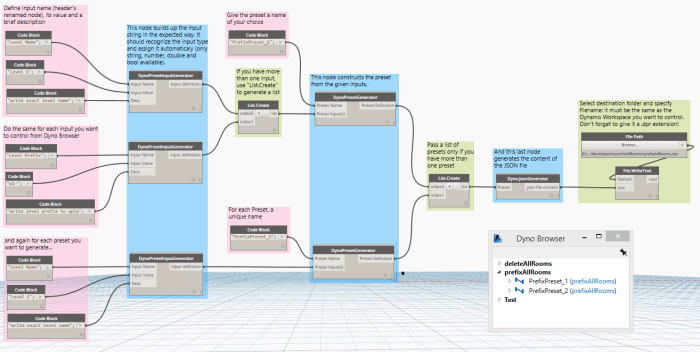
This node is an early proof of concept to demonstrate how a Navisworks search set xml can be built using Dynamo, running from the Revit environment. This example takes an element Id list, and then builds the XML using Core String and WriteToFile nodes. It can then be imported and used in Navisworks.

Check DYF folder for Dependencies in Package Folders

This node is primarily a package audit and management tool. Given a folder (containing dyf files), it will attempt to get the dependencies, then compare that with all node names in the Package folder and subfolders. Then, it will list the Package Name and Node name of dependencies found in the Directory Path. This can be used to find and remove dyf dependencies from your Dynamo package.